Choose an inference engine
Choose the task first
| Task | Starting point |
|---|---|
| Run a model from the Ollama library with simple tag selection | Ollama |
| Serve a supported Hugging Face model with configurable concurrency/context | vLLM |
| Use FreeToken's model formats and MoE memory strategies on supported NVIDIA devices | FreeToken |
Experiment with duplex audio and /v1/realtime |
vLLM-Omni |
| Use an existing remote model endpoint | External provider |
This is a workflow choice, not a performance ranking. Engine/model format, precision, hardware and runtime versions must agree. See the generated compatibility matrix for the repository's declared combinations.
Check runtime availability
Open Services → AI Runtime to inspect the shared inference services. A service marked Ready is not the same as a loaded, working model; verify a model with an actual request after creation.
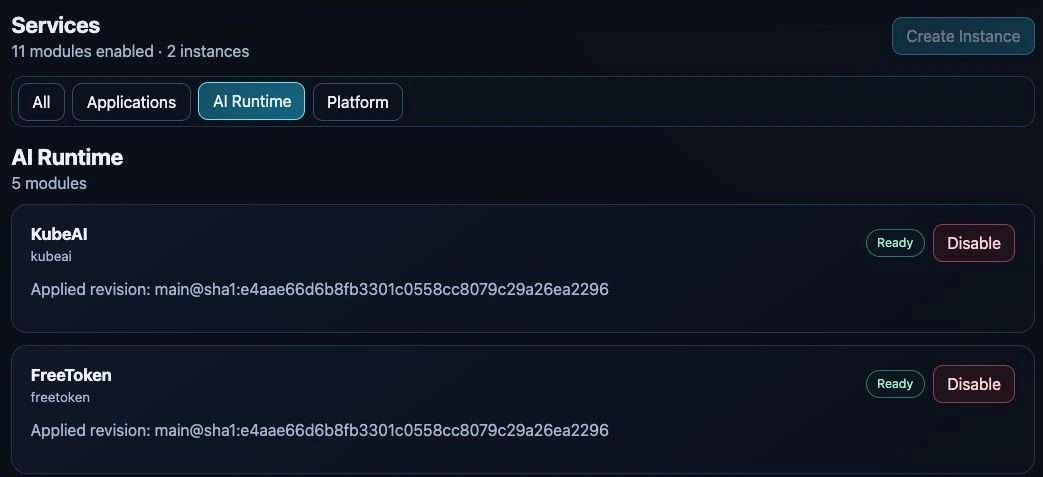
Cropped test-appliance view, captured 24 September 2026. Other runtime cards continue below. No service was enabled or disabled for this capture.
Choose hardware
In Models → Create, select the engine first, then an eligible compute target. Unavailable GPUs remain disabled with a reason. A full model-slot ring means no new slot is available even if memory remains. A model that is starting already reserves a slot; do not count its Pod again.
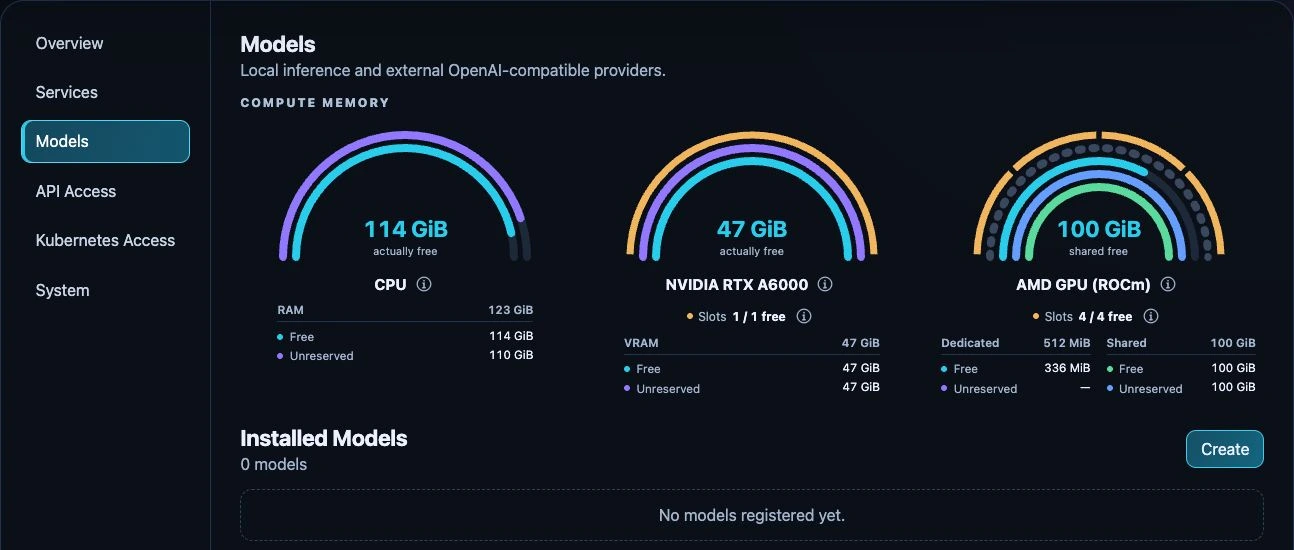
Test-appliance view with no registered models, captured 24 September 2026. Memory and slot counts describe that device at capture time, not minimum requirements or recommended allocations for another computer.
Use System → Hardware for provider state and optional engine validation. That validation is a small smoke test, not certification that your full model fits.
Review memory
Choose a model artifact that fits the selected engine, then review context length and concurrency. Long contexts and simultaneous requests increase runtime memory. Use the information icons to distinguish physical capacity, live free memory and unreserved planning budgets. Memory concepts explains the differences.
FreeToken uses its own form. Its GPU budget and Pod RAM limit are not vLLM's offload parameters or Ollama's KV-cache settings.